

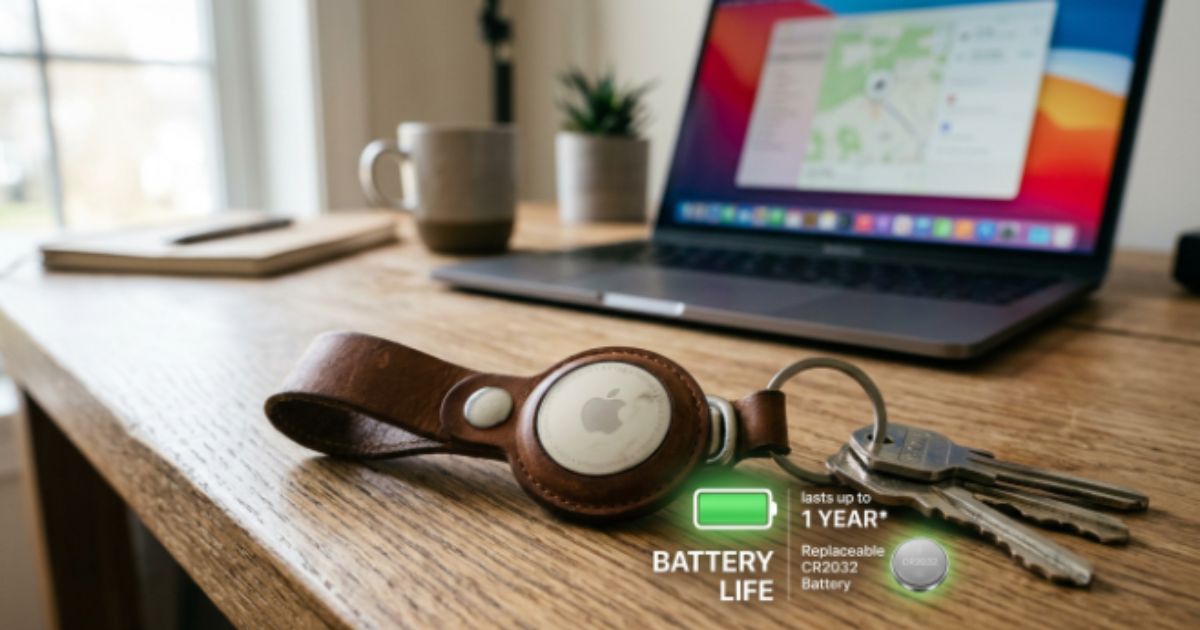
Apple AirTags make it easy to keep track of your keys, wallet, luggage, and other everyday essentials, but understanding airtag battery life is just as important as using the tracker itself. A healthy AirTag battery ensures accurate tracking and reliable performance whenever you need it. Most Apple AirTags can last about a year on a single battery, although your usage habits, CR2032 battery quality, and Find My app activity all play a role.
In this guide, you’ll discover how long the battery lasts, how to monitor its condition, when to replace it, and practical tips to extend its lifespan. You’ll also learn simple maintenance habits that help your Apple AirTag battery perform at its best for longer.
How Long Does AirTag Battery Life Last?
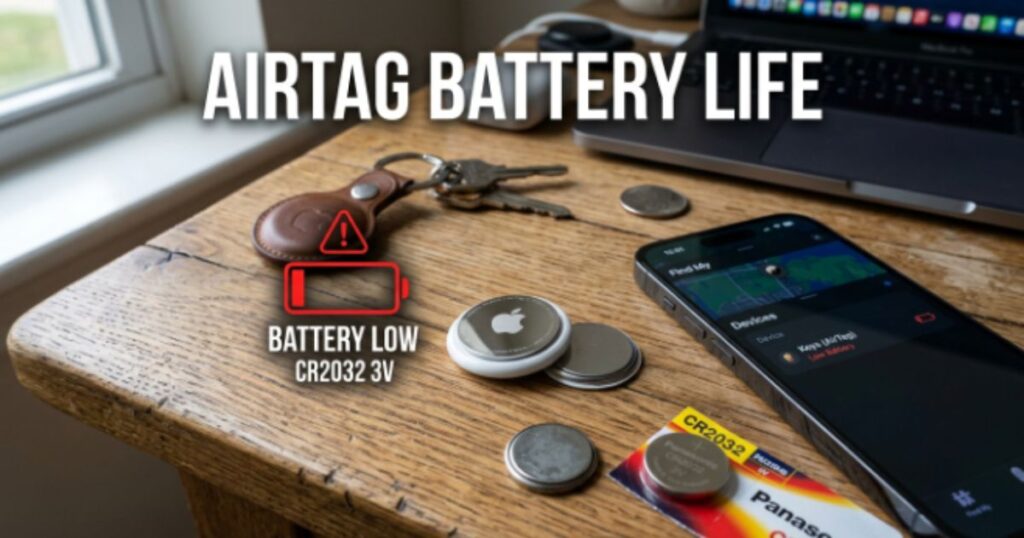
Apple says an AirTag can run for about one year under normal use, and most users in the United States experience something close to that estimate. However, AirTag battery life in real-world use often depends on how you use the tracker. If you frequently activate Precision Finding, play sounds to locate your items, or leave advanced notifications enabled, the battery will drain faster. On the other hand, an AirTag attached to a suitcase that stays in storage most of the year may easily last beyond twelve months. This is why the answer to How long does an Apple AirTag last? isn’t always the same for everyone. Understanding your daily habits gives you a much better idea of how long your AirTag battery will continue to perform.
Many people ask How long do AirTags last? The simple answer is that the Apple AirTag battery usually lasts between 10 and 14 months with average use. Some users report nearly 18 months, while others replace the battery after only eight or nine months because of heavier usage. Features such as Lost Mode, regular location updates through Apple Find My, and repeated searches increase AirTag battery draining over time. If you notice slower performance or receive an AirTag battery warning, don’t ignore it. Replacing the battery early keeps your Apple tracking device reliable whenever you need it.
Apple’s Official AirTag Battery Life Expectation
Apple officially states that an AirTag uses a replaceable CR2032 coin cell battery that should last approximately one year during normal daily use. That estimate assumes moderate use of the Find My app, occasional sound playback, and limited use of Precision Finding. Since there is no exact AirTag battery percentage displayed, Apple instead provides an AirTag battery indicator that alerts you when the battery becomes low. This simple system helps you plan an AirTag battery replacement before the tracker stops working.
Real-World AirTag Battery Life vs. Apple’s Claims
Real-world results often vary because every user relies on an AirTag differently. Someone who travels often or checks item locations several times each day will naturally use more battery than someone who only checks occasionally. Weather also matters because AirTag battery in cold weather and AirTag battery in hot weather can temporarily reduce battery efficiency. If you’ve ever wondered Why is my AirTag battery draining so fast? or Why is my AirTag battery dying quickly?, daily usage habits usually provide the answer rather than a hardware fault.
How Often Should You Replace an AirTag Battery?
Most people should replace their battery once every twelve months, although heavy users may need to do it sooner. Apple sends an AirTag low battery warning before the battery completely dies, giving you enough time to buy a new one. If you’re asking How often should I replace my AirTag battery?, the safest approach is to check the battery every few months through the Find My app and replace it as soon as performance begins to decline. Good AirTag battery maintenance keeps your tracker dependable all year.
AirTag Battery Life at a Glance
| Feature | Details |
| Average AirTag battery lasts | About 1 year |
| Battery Type | Lithium CR2032 battery |
| Replaceable | Yes |
| Rechargeable | No |
| Low Battery Alert | Yes, through Find My app |
| Charging Required | No |
What Type of Battery Does an Apple AirTag Use?
If you’ve ever searched What battery does an AirTag use? or What type of battery does AirTag use?, the answer is simple. Every Apple AirTag uses a standard CR2032 battery, also known as a CR2032 coin cell battery. This small lithium battery powers millions of electronic devices because it delivers dependable performance while taking up very little space. Apple selected this battery because it offers a strong balance between size, reliability, and long-term power. Since it is easy to find in supermarkets, electronics stores, pharmacies, and online marketplaces across the United States, replacing an AirTag battery is both quick and affordable.
Although many brands manufacture CR2032 batteries, not every option works equally well. Battery quality directly affects AirTag battery health, overall AirTag battery performance, and long-term reliability. Some batteries include special bitter coatings designed to discourage children from swallowing them. While these coatings improve safety, they may reduce AirTag battery compatibility if they block the battery contacts. Before buying a replacement, always check whether the battery is labeled as AirTag battery compatible CR2032. Choosing a trusted brand also improves AirTag battery optimization and helps reduce unexpected battery failures.
CR2032 Coin Cell Battery Explained
The Lithium CR2032 battery is a compact 3-volt battery that stores enough energy to power an AirTag for many months. It works efficiently in small electronics because it delivers stable voltage throughout most of its lifespan. This reliable design supports consistent tracking, quick Bluetooth communication, and smooth operation inside the Apple Find My network. As a result, the AirTag battery type has become one of the biggest reasons Apple AirTags require very little maintenance.
Are All CR2032 Batteries Compatible with AirTags?
Not every CR2032 battery offers the same experience. Some low-cost batteries have shorter lifespans, while others use coatings that interfere with the AirTag’s battery contacts. That’s why experts recommend purchasing trusted brands such as Duracell, Panasonic, Energizer, or Sony. Choosing the Best CR2032 battery for AirTag improves reliability and reduces the chances of AirTag battery issues, AirTag battery problems, or an AirTag not detecting new battery after installation.
Rechargeable vs. Non-Rechargeable AirTag Batteries
Many new users ask Does AirTag need charging?, Are AirTag batteries rechargeable?, or Can AirTag batteries be recharged? The answer is no. AirTags do not support AirTag charging, and there is no Rechargeable AirTag battery built into the device. Instead, Apple designed AirTags with a replaceable battery system that allows you to Replace AirTag battery in less than a minute. This simple design keeps ownership costs low while making How to replace an AirTag battery much easier than charging another electronic device every few days.
What Affects AirTag Battery Life?
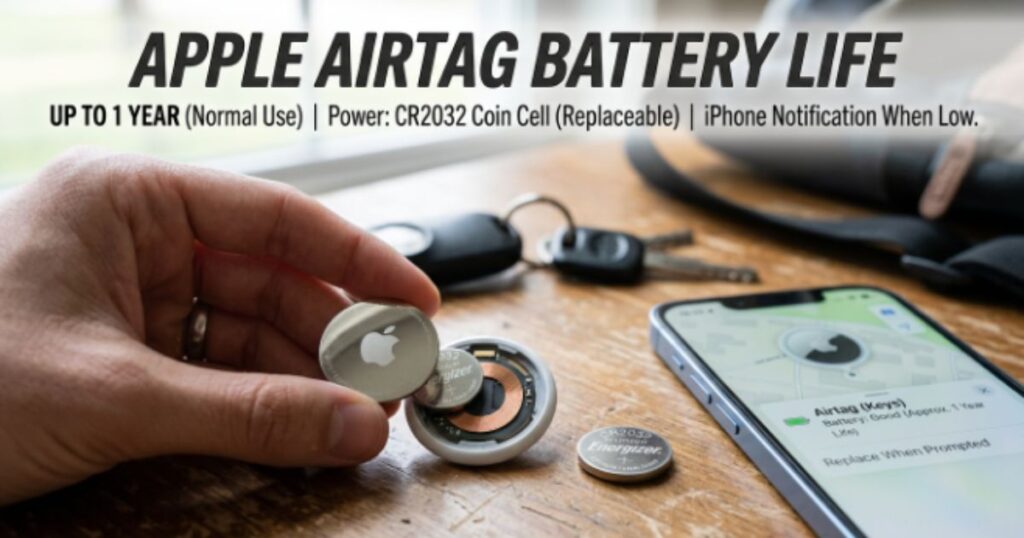
Even though Apple estimates about one year of battery life, several everyday factors determine whether your AirTag reaches that goal. If you’ve ever asked What drains an AirTag battery?, the answer is usually a combination of your usage habits, environmental conditions, and battery quality. Every time your AirTag communicates with nearby Apple devices through Apple Find My, plays a sound, or helps you locate an item with Precision Finding, it uses a small amount of energy. One action alone won’t drain the battery quickly. However, repeated use every day gradually shortens the overall AirTag battery lifespan.
Good habits can make a noticeable difference. Using quality batteries, storing your AirTag in normal temperatures, and avoiding unnecessary searches all improve AirTag battery lasts over time. Proper AirTag settings also reduce unnecessary background activity. If you’re searching for How to make AirTag battery last longer or looking for practical Tips to extend AirTag battery life, understanding these factors is the best place to start because prevention always works better than replacing batteries too often.
Precision Finding and Find My Network Activity
Precision Finding is one of the AirTag’s best features because it guides you directly to your lost item. However, it also consumes more power than a standard location update. Frequent searches through the Find My app increase AirTag battery draining, especially if you activate sound alerts multiple times each day. Likewise, AirTags that constantly communicate within busy areas use more energy than trackers sitting quietly at home.
Temperature, Storage, and Everyday Usage Habits
Extreme weather affects nearly every lithium battery. AirTag battery in cold weather may temporarily lose capacity, while AirTag battery in hot weather can age faster if exposed to excessive heat for long periods. Leaving your tracker inside a hot vehicle or freezing garage for days at a time may reduce battery efficiency. Storing your AirTag in a dry environment with moderate temperatures supports better AirTag battery maintenance and extends overall battery life.
Battery Quality and Device Settings That Matter
Not all batteries deliver the same performance. A high-quality Lithium CR2032 battery from a trusted manufacturer usually lasts longer than a generic alternative. Battery quality directly influences AirTag battery health, while poor-quality batteries may lead to AirTag battery problems or shorter operating times. Features such as Lost Mode, repeated location checks, and unnecessary notifications can also increase power consumption. Reviewing your settings occasionally is one of the simplest AirTag battery maintenance tips and helps reduce future AirTag battery saving tips needs.
How to Check Your AirTag Battery Level
Knowing your AirTag battery level is one of the easiest ways to prevent your tracker from stopping unexpectedly. Unlike a smartphone, an AirTag does not display an exact battery number. Instead, Apple uses a smart notification system that alerts you when the battery becomes low. If you regularly use your AirTag tracker for important items like your wallet, keys, or luggage, checking the battery every few months is a good habit. It only takes a few seconds in the Find My app, yet it can save you from losing track of valuable belongings at the worst possible time.
Many users search for How to check AirTag battery level because they expect to see a battery percentage. However, Apple does not show an exact AirTag battery percentage. Instead, the app displays an AirTag battery indicator and sends an AirTag low battery warning when replacement is needed. This system keeps things simple while helping you avoid unnecessary battery changes. If you notice slower responses or delayed location updates, it is also a good idea to inspect the battery even if no alert has appeared yet.
Check Battery Status Using the Find My App
Open the Find My app on your iPhone or iPad and select the Items tab. Choose the AirTag you want to check, then look below its name. If the battery is healthy, you won’t see any warning. When power becomes low, Apple displays an AirTag battery warning telling you it’s time for an AirTag battery replacement. Although you cannot view an exact percentage, this method remains the quickest and most reliable way to monitor your AirTag battery charge.
Understanding Low Battery Alerts
Apple automatically notifies you when your battery reaches a low level. The notification appears on your connected device and remains visible until you install a new battery. This alert gives you enough time to purchase a CR2032 battery before your tracker stops working. Paying attention to this warning helps maintain good AirTag battery health and ensures your tracker continues reporting accurate locations through Apple Find My.
Signs Your AirTag Battery Needs Replacement
Sometimes your AirTag gives subtle clues before the official warning appears. Location updates may take longer than usual. The built-in speaker may sound quieter during searches. Your AirTag may also respond more slowly when using Precision Finding. These are some of the Signs your AirTag battery is low, and they usually mean it’s time to Change AirTag battery before complete power loss occurs.
Quick Guide to Checking AirTag Battery Status
| Step | What to Do |
| 1 | Open the Find My app |
| 2 | Tap Items |
| 3 | Select your AirTag |
| 4 | Check for an AirTag battery warning |
| 5 | Replace the battery if notified |
Do AirTags Need Charging?

One of the biggest misconceptions about AirTags is that they need to be plugged in like a smartwatch or wireless earbuds. In reality, Apple designed AirTags differently. If you’ve searched Does AirTag need charging?, the answer is no. There is no charging port, wireless charging feature, or USB connection anywhere on the device. Instead, the tracker runs on a replaceable Lithium CR2032 battery that provides long-lasting power. Once the battery runs low, you simply install a fresh one and continue using your AirTag without waiting for it to recharge.
This replaceable battery system offers several advantages. You don’t have to remember another charging cable or worry about your tracker losing power overnight. Replacing a battery takes less than a minute, making ownership simple and convenient. Many people also ask Can you replace an AirTag battery? The answer is yes, and Apple intentionally designed the AirTag so almost anyone can complete the replacement at home. This approach keeps long-term maintenance easy while improving overall AirTag battery lifespan.
Why AirTags Don’t Have a Charging Port
Apple focused on simplicity when designing the AirTag. Since the device uses very little power, adding a charging port would have increased its size and reduced its water resistance. A replaceable CR2032 coin cell battery provides enough energy for about one year of normal use while keeping the tracker compact and lightweight. This design also supports better AirTag battery performance because the battery delivers consistent power throughout most of its life.
Can You Recharge an AirTag Battery?
Many users wonder Are AirTag batteries rechargeable? or Can AirTag batteries be recharged? Unfortunately, they cannot. AirTags only support standard disposable CR2032 batteries. Trying to recharge one can be dangerous and may damage both the battery and the device. The safest choice is always to Replace AirTag battery with a new compatible battery whenever you receive a low battery notification.
Common Myths About AirTag Charging
Several online myths claim that AirTags support hidden charging features or unofficial rechargeable batteries. None of these claims are true. There is no Rechargeable AirTag, and Apple has never included wireless charging or USB charging in any AirTag model. Following Apple’s official recommendations improves AirTag battery optimization, reduces unnecessary AirTag battery issues, and helps you avoid future AirTag troubleshooting. If your battery has reached the end of its life, replacing it is always the correct solution rather than searching for charging methods.
How to Replace an AirTag Battery (Step-by-Step Guide)
Replacing an AirTag battery is one of the easiest maintenance tasks you can do. Unlike many modern electronic devices, Apple designed the AirTag with a user-replaceable battery, so you don’t need special tools or technical skills. If you’ve searched How to replace an AirTag battery, How to change AirTag battery, or Can you replace an AirTag battery?, you’ll be happy to know the entire process usually takes less than one minute. A fresh battery restores full tracking performance and ensures your AirTag continues working whenever you need it.
You should replace the battery as soon as you receive an AirTag low battery warning in the Find My app. Waiting until the battery completely dies may leave your keys, luggage, or wallet without active tracking when you need it most. Following the correct AirTag battery replacement guide also protects the internal battery contacts and improves long-term AirTag battery performance. Once you learn the process, future battery replacements become quick and stress-free.
What You’ll Need Before Replacing the Battery
Before you begin, make sure you have a new CR2032 battery that is labeled AirTag battery compatible CR2032. Apple recommends using high-quality batteries from trusted manufacturers because they deliver better AirTag battery health and longer battery life. If you purchased a battery with a bitter coating, check that it specifically states compatibility with Apple AirTags. This small step helps avoid AirTag battery compatibility issues after installation.
Step-by-Step AirTag Battery Replacement Instructions
The AirTag battery replacement step by step process is simple. Hold the AirTag with the stainless-steel side facing upward. Press down gently on the metal cover and rotate it counterclockwise until it releases. Remove the old battery and insert the new Lithium CR2032 battery with the positive side facing upward. Once installed, you’ll hear a small chime that confirms the battery is connected correctly. Place the cover back on the AirTag and rotate it clockwise until it locks securely. This simple method allows you to Replace AirTag battery without tools or professional assistance.
What to Do If Your AirTag Doesn’t Work After Battery Replacement
Sometimes users experience AirTag battery not working or AirTag not detecting new battery after installing a fresh battery. First, remove the battery and reinstall it carefully while making sure the positive side faces upward. Then confirm the battery contacts are clean and free from dirt or oil. If the AirTag still does not respond, try another compatible battery because some low-quality batteries do not provide consistent voltage. In most cases, this simple AirTag troubleshooting process solves the problem without additional repairs.
AirTag Battery Replacement Overview
| Step | Action |
| Step 1 | Remove the AirTag from its holder if needed |
| Step 2 | Press the stainless-steel cover firmly |
| Step 3 | Rotate the cover counterclockwise |
| Step 4 | Remove the old CR2032 coin cell battery |
| Step 5 | Insert the new battery with the positive (+) side up |
| Step 6 | Listen for the confirmation chime |
| Step 7 | Reattach the cover and rotate clockwise until it locks |
10 Proven Tips to Extend AirTag Battery Life
If you want your airtag battery life to reach or even exceed Apple’s one-year estimate, small daily habits make a big difference. Most batteries do not fail because of defects. Instead, they lose power faster because of frequent tracking requests, repeated sound alerts, and unnecessary background activity. The good news is that improving AirTag battery optimization doesn’t require advanced settings or expensive accessories. A few simple changes can help your tracker stay powered for months longer while maintaining reliable performance.
Many people search for How to make AirTag battery last longer because they want fewer battery replacements and more dependable tracking. The following practices are considered some of the best AirTag battery best practices. They reduce unnecessary battery drain while helping your tracker remain ready whenever you need it. These habits also improve overall AirTag battery maintenance, reduce unexpected AirTag battery issues, and support better long-term reliability.
Everyday Habits That Help Your Battery Last Longer
The easiest way to preserve battery life is to avoid unnecessary searches. Only use Precision Finding when you’re close to your lost item because this feature consumes more power than a standard location request. Avoid repeatedly playing the AirTag sound unless you truly need it. If an AirTag stays attached to an item that rarely leaves your home, consider disabling features that constantly monitor movement. These simple AirTag battery tips reduce AirTag battery draining without affecting normal tracking performance.
Settings You Should Adjust to Reduce Battery Drain
Your AirTag settings have a direct impact on battery life. While Lost Mode is extremely useful for missing items, it should only remain active when your belongings are actually lost. Constantly enabling unnecessary notifications or checking your AirTag location several times each day also increases power consumption. Using these features only when needed improves AirTag battery saver performance and helps maximize the overall AirTag battery lifespan.
Best Practices for Long-Term AirTag Performance
Battery quality matters just as much as usage habits. Always install premium CR2032 batteries from trusted manufacturers and avoid expired batteries. Store unused AirTags in a cool, dry location away from direct sunlight or freezing temperatures. When replacing old batteries, practice proper AirTag battery recycling by taking used lithium batteries to a local recycling center instead of throwing them into household trash. These small habits improve reliability and help protect the environment.
10 Simple Ways to Improve AirTag Battery Life
| Tip | Benefit |
| Use Precision Finding only when necessary | Reduces battery drain |
| Avoid repeated sound alerts | Conserves power |
| Enable Lost Mode only when needed | Prevents unnecessary battery use |
| Use premium CR2032 batteries | Improves battery lifespan |
| Keep AirTags away from extreme heat | Protects battery health |
| Avoid freezing temperatures | Maintains battery efficiency |
| Check battery status every few months | Prevents unexpected failure |
| Buy compatible batteries only | Reduces compatibility problems |
| Clean battery contacts during replacement | Improves connection |
| Recycle old batteries properly | Supports safe AirTag battery recycling and environmental protection |
Common AirTag Battery Problems and How to Fix Them
Even though AirTags are known for their reliability, you may occasionally run into battery-related issues. Most of these problems are easy to solve and do not require professional repairs. If you suddenly notice shorter battery life, delayed location updates, or connection errors, don’t assume your AirTag is defective. In many cases, the problem comes from battery quality, incorrect installation, or settings that consume more power than expected. Understanding these common issues helps you restore normal performance quickly and extend your airtag battery life.
Good AirTag troubleshooting starts with the basics. Always check whether the battery is installed correctly, confirm you’re using a high-quality CR2032 battery, and review your AirTag settings. If your tracker still doesn’t perform as expected, replacing the battery with a trusted brand often solves the issue. Following these simple checks also improves AirTag battery health and reduces future maintenance.
AirTag Battery Draining Too Fast
Many users ask Why is my AirTag battery draining so fast? or Why is my AirTag battery dying quickly? Frequent use of Precision Finding, constant sound alerts, busy travel schedules, and continuous communication with the Apple Find My network all increase battery consumption. Keeping unnecessary features turned off when you don’t need them is one of the easiest AirTag battery saving tips and helps improve long-term battery performance.
AirTag Not Detecting a New Battery
If you experience AirTag not detecting new battery, remove the battery and reinstall it carefully. Make sure the positive side faces upward and listen for the startup chime. If nothing happens, try another AirTag battery compatible CR2032 because some coated batteries prevent proper electrical contact. Cleaning the battery contacts with a dry microfiber cloth can also solve the issue.
Low Battery Warning Won’t Go Away
Sometimes the AirTag low battery warning remains visible after installing a fresh battery. This usually happens when the battery isn’t making full contact or the replacement battery has low voltage. Removing and reinstalling the battery often refreshes the connection. If the notification continues, open the Find My app, reconnect your AirTag, and verify that the battery is fully seated.
AirTag Not Connecting After Battery Replacement
If your tracker doesn’t reconnect after replacing the battery, don’t panic. Most connection issues disappear after reinstalling the battery or restarting your iPhone. Confirm Bluetooth is enabled and your AirTag remains within range. If the problem continues, reset the AirTag by removing and reinstalling the battery several times until you hear the startup sound. This simple process resolves most AirTag battery problems without additional repairs.
Common AirTag Battery Issues and Solutions
| Problem | Most Likely Cause | Simple Fix |
| Fast battery drain | Heavy Precision Finding usage | Reduce searches and sound alerts |
| AirTag battery not working | Weak or incompatible battery | Install a quality CR2032 battery |
| AirTag not detecting new battery | Poor battery contact | Reinstall or replace the battery |
| Low battery warning remains | Battery connection issue | Remove and reinstall the battery |
| AirTag won’t reconnect | Bluetooth or battery problem | Restart device and reconnect through Find My app |
AirTag Battery Replacement Cost and Best Batteries to Buy
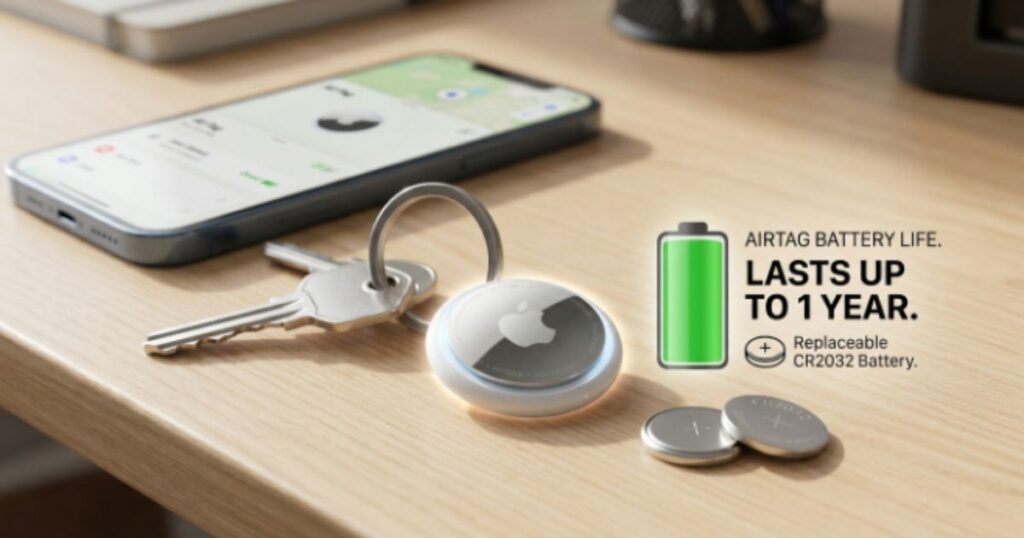
One reason AirTags remain popular is their low maintenance cost. Unlike many rechargeable devices that eventually require expensive battery service, an AirTag only needs a replacement CR2032 coin cell battery. In most stores across the United States, a single battery costs between $2 and $5, while multipacks often reduce the price to less than $1.50 per battery. This affordable AirTag battery replacement cost makes long-term ownership inexpensive and convenient.
Choosing the right battery is just as important as replacing it on time. Premium brands provide better reliability, longer operating life, and fewer compatibility issues. Spending a little more on a trusted battery often saves money over time because it reduces unexpected battery failures and improves overall AirTag battery performance. A quality battery also supports better AirTag battery optimization, making your tracker dependable throughout the year.
How Much Does an AirTag Battery Cost in the USA?
Most major retailers, including Walmart, Target, Best Buy, CVS, Walgreens, and Amazon, sell replacement Lithium CR2032 batteries. Buying a multi-pack usually offers the best value, especially if you own several AirTags. Since battery prices change throughout the year, comparing local and online prices can help you save money on future replacements.
Best CR2032 Batteries for Apple AirTags
If you’re looking for the Best CR2032 battery for AirTag, trusted brands consistently deliver the best results. Duracell, Panasonic, Energizer, Sony, and Maxell all produce reliable batteries with long shelf lives and stable performance. These manufacturers are known for strong quality control, which helps reduce AirTag battery issues and extends the overall AirTag battery lifespan.
Where to Buy Genuine AirTag Batteries
You can purchase replacement batteries from electronics stores, supermarkets, hardware stores, pharmacies, and trusted online retailers. Always check the package for the correct battery model and verify AirTag battery compatibility before buying. Avoid counterfeit or extremely cheap batteries because they may provide shorter life or inconsistent performance. After replacing the battery, remember How to recycle AirTag batteries by using approved recycling programs instead of placing lithium batteries in household trash.
Popular CR2032 Battery Brands
| Brand | Average Price (USA) | Recommended for AirTag |
| Duracell | $3–$5 | Excellent |
| Panasonic | $2–$4 | Excellent |
| Energizer | $2–$5 | Excellent |
| Sony | $2–$4 | Very Good |
| Maxell | $2–$4 | Very Good |
Conclusion
Understanding airtag battery life makes it much easier to keep your tracker working when you need it most. Most AirTags run for about one year on a single CR2032 coin cell battery, and replacing that battery only takes a minute. By checking your battery regularly, using trusted battery brands, and avoiding unnecessary power-hungry features, you can enjoy reliable tracking without unexpected interruptions.
Simple habits make a big difference. Monitor your AirTag battery level through the Find My app, replace the battery as soon as you receive a low-battery alert, and recycle old batteries responsibly. Following these recommendations improves battery performance, reduces maintenance costs, and helps your Apple AirTag stay ready to protect the items that matter most.
FAQ’s About Airtag Battery Life
How long will AirTag batteries last?
AirTag batteries typically last about one year under normal use, although heavy use of Precision Finding and sound alerts can shorten battery life.
How do I check my AirTag battery level?
Open the Find My app, tap Items, and select your AirTag. Apple will show a low battery warning when it’s time to replace the battery.
Does an AirTag need to be recharged?
No. AirTags do not need recharging because they use a replaceable CR2032 coin cell battery instead of a rechargeable battery.
How far away can you track an AirTag?
There is no fixed distance limit. AirTags use Apple’s Find My network, so they can be located almost anywhere if they come within range of a nearby Apple device.
What is the downside of AirTags?
AirTags work best within Apple’s ecosystem and don’t offer live GPS tracking. They also rely on nearby Apple devices to update their location.
People Read Also: 250+ Birthday Wishes in Islamic Way – Heartfelt Duas, Blessings, Quotes & Messages

My name is M.Adil, I am specialize in creating thoughtful digital content that informs, inspires, and engages readers worldwide. Every piece is written with care and originality.